

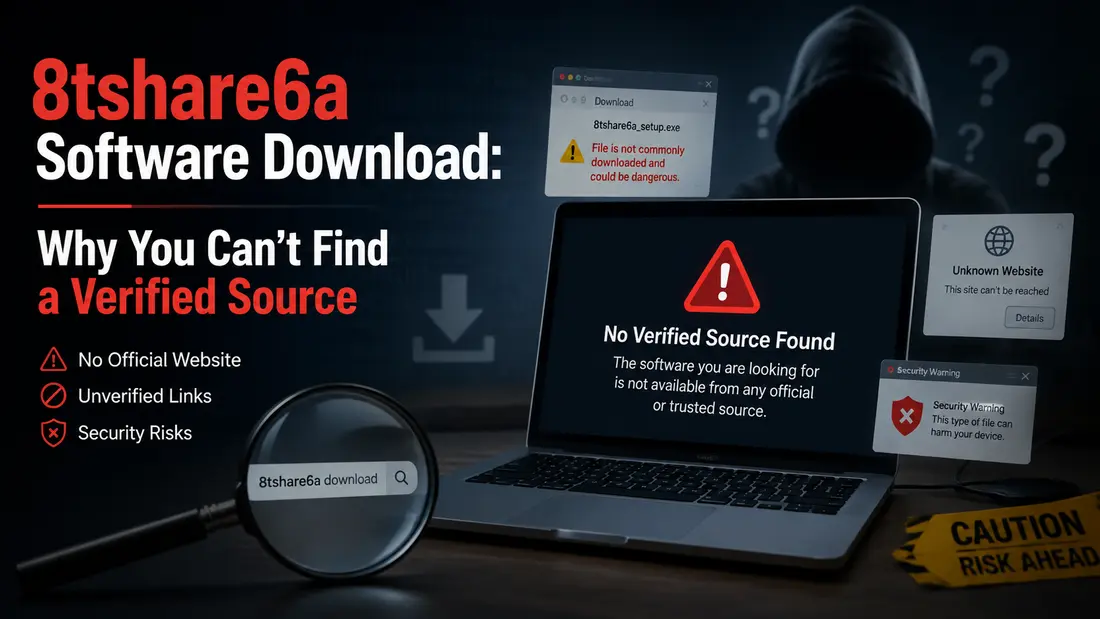
You searched “8tshare6a software download” expecting a straightforward answer. Instead, you probably landed on a handful of articles that all sound confident but somehow never agree on what the software actually does. One calls it a file manager. Another calls it an AI powered encrypted sharing app. A third describes it as a workflow automation platform for entire companies.
That’s not a coincidence, and it’s not you missing something obvious. It’s the first sign that something is off with this keyword.
We dug into every accessible source that mentions 8tshare6a, checked for an official vendor, a first party website, and any trace of a real download, and compared what we found against how legitimate software actually gets distributed. This post walks through what we found, why the 8tshare6a software download doesn’t hold up, and what to do instead so you don’t waste time (or risk your device) chasing a name that has no verifiable product behind it.
What Is 8tshare6a Software, Really?
The short answer is that nobody agrees, and that alone tells you something. A legitimate piece of software has one consistent description that comes from its actual developer. This one has several, and they contradict each other.
What Different Sources Claim It Does
Depending on which article you read, 8tshare6a is either a cross platform file management tool with media conversion and system optimization features, a peer to peer encrypted file sharing app powered by AI, or a broader digital workflow platform aimed at businesses and freelancers. Some pages describe a desktop client with start menu shortcuts and installer wizards. Others describe a mobile app you set up through an email or Google login in under two minutes.
These aren’t different products with the same name by coincidence. They’re different guesses at what a fictional product should sound like, written to fill out an article around a keyword rather than around a real thing.
The Common Thread And What’s Missing
Here’s what every one of these articles has in common: none of them link to an official developer site, a company behind the software, or a page where you can verify a version history, license terms, or support contact. Real software has a paper trail. This name doesn’t.
Why the 8tshare6a Software Download Doesn’t Check Out
You don’t need to be a security researcher to spot this. You just need to know what a real software release actually looks like, and then notice what’s missing here.
No Official Vendor or First Party Site
Every legitimate application traces back to a company or a developer you can identify. Adobe makes Photoshop. Mozilla makes Firefox. Even small, indie tools usually have a GitHub page, a developer name, or a support email tied to a real domain. With 8tshare6a, there’s no first party source anywhere. Every page you find is a third party “guide” describing the software from the outside, never from the company that supposedly built it.
Contradictory Descriptions Across Guides
We already touched on this, but it’s worth stating plainly: when five articles about the same software can’t agree on its core function, that’s not normal variation in writing style. That’s a sign the articles were generated to rank for a keyword, not to describe a product anyone actually used.
The AI Content Farm Pattern
This is where it gets useful for you as a reader, because this pattern shows up constantly now, and 8tshare6a is a textbook example of it. According to a recent security analysis of fabricated software names, a flood of enthusiastic articles about an unknown product used to be a decent signal of popularity. In 2026, it’s closer to a warning sign, because generating dozens of plausible sounding pages about a fake product now takes minutes instead of days. Search engines are actively working to catch and demote this kind of AI generated content, but new batches keep appearing faster than they get cleaned up.
The practical shift is this: volume of articles is not evidence of legitimacy anymore. If anything, a name with no official presence but a surprising number of “download guides” should make you more cautious, not less.
How to Spot Phantom Software Before You Download Anything
You’ll run into names like this again, so it helps to have a quick mental checklist ready. None of these checks take more than a minute or two.
Check for a Verifiable Publisher
Before you trust any download, look for a real company or developer name behind it. Search for that name separately from the software name. If the “publisher” only ever shows up alongside this one product, on pages that all read like templated guides, treat that as a red flag rather than reassurance.
Look for Digital Signatures and Checksums
Legitimate installers are signed, and legitimate vendors publish checksums (usually SHA-256) so you can confirm the file you downloaded matches what they released. A 2026 download safety guide recommends walking away entirely if a site offers multiple competing download buttons, skips published checksums, or serves files from an unfamiliar CDN domain with no publisher confirmation anywhere on the page. If you can’t find a signature or a hash to check against, you’re being asked to trust the file on faith alone.
Treat a Flood of Articles as a Yellow Flag, Not Reassurance
This is the single biggest mindset shift worth taking from this whole situation. When you’re vetting an unfamiliar name, don’t ask “how many articles mention this?” Ask “can I find the actual vendor?” If the answer is no, the article count doesn’t matter.
Is the 8tshare6a Software Download Safe to Try?
Based on everything we found, there’s no verified vendor, no signed installer, and no consistent product description behind the 8tshare6a name, so the honest answer is that you can’t confirm it’s safe, because you can’t confirm what it actually is.
That doesn’t automatically mean every file circulating under this name is malicious. Some phantom software names are pure SEO bait with no download at all behind them, just ad heavy pages designed to capture search traffic. Others do lead to an actual file, and that’s the riskier category, because an unsigned, unverified installer from an unknown source is exactly the kind of file that security guides warn you about. One practical checklist puts it simply: an unsigned file, a missing hash, and a weak or absent antivirus detection all mean a download needs more verification before you run it, while a lookalike domain or a request to disable your protections means you should delete it immediately.
If you’ve already found a page offering an 8tshare6a installer, don’t run it. Whatever you’re actually trying to accomplish (file sharing, format conversion, cloud sync), there are established, verifiable tools that do it and that you can confirm are safe before you ever click install.
What to Do Instead of Downloading 8tshare6a
The good news is that whatever job you were hoping 8tshare6a would do, there’s almost certainly a verified tool that already does it well.
Identify What You Actually Need
Strip the name away and ask what you were actually trying to accomplish. Were you looking for a way to sync files across devices? Convert media formats? Manage and tag a large file library? Once you know the actual task, you can search for that task directly instead of a specific unverified brand name, and you’ll get a much cleaner set of results.
Verified Alternatives Worth Checking Out
If file management and organization was the goal, established tools with real vendors and transparent development histories cover that ground well. If you wanted encrypted file sharing, look for services with a public company behind them, clear pricing, and independently audited encryption claims rather than marketing copy alone. The extra five minutes it takes to confirm a real vendor exists is a small price for not gambling on an unverified installer.
What Should You Do If You Already Downloaded It?
If you’ve already downloaded a file claiming to be 8tshare6a software, don’t run it yet, and if you already ran it, don’t panic, but do act.
Start by checking the file’s hash against VirusTotal, since other users may have already flagged it if it’s malicious. Run a full scan with updated antivirus software regardless of what that check shows. If you already installed and ran the file, disconnect from the internet, run a thorough malware scan, and watch for unusual behavior like new browser extensions, changed settings, or unfamiliar processes running in the background. If anything looks off, or if you entered any passwords or personal information into the software after installing it, change those passwords from a separate, clean device.
Going forward, treat this as a useful data point rather than an embarrassing mistake. Unverified software slips past careful people all the time, especially when search results are stacked with confident sounding “guides.”
Conclusion / Final Thoughts
The 8tshare6a software download is a good reminder that a name showing up in a dozen articles isn’t the same as a name backed by a real developer. No official vendor, no consistent description, and no signed installer add up to one conclusion: there’s nothing here worth the risk.
The good habits that protect you here are simple ones. Look for a verifiable publisher before you trust a download. Check for a signature or checksum instead of taking a “download now” button at face value. And treat a sudden wave of articles about an unfamiliar product as a reason to slow down, not speed up.
Run into another software name that doesn’t quite add up? Drop it in the comments and we’ll dig into it the same way.
Read Also: Software GDTJ45 Builder Does Not Work: Here Is What Is Actually Going On